MaxManager
Features
MaxManager’s surface is 61 screens across ten control domains, plus a small set of tools. This page explains what each part is for — not just that it exists.
A rule that shapes everything below: a control that your device does not expose is not shown as a switch that does nothing. If MaxManager cannot read or write an interface, the screen says so and explains which of the seven capability states applies (Max Atlas).
Control domains
CPU — “Cores, governor, vendor boost and kernel preferences”
| Screen | What it gives you |
|---|---|
| Cores grid | Every cluster and core with its live frequency, and the ability to pin a floor or a ceiling per cluster. Cluster names are read from the platform, not guessed. |
| Governors | The available governors per policy with the ability to select one. Choices are validated against what the kernel actually advertises. |
| Property tweaks | Reviewer-managed system properties that affect scheduling and power, applied in a form you can read before and after. |
GPU — “GPU frequencies and graphics-specific vendor parameters”
GPU Reality Studio discovers the driver’s advertised frequency table, its unit (Hz vs MHz is a real mismatch between vendors), the writable controls, and a restoration baseline — then presents only what it could verify. On MediaTek devices the OPP table is read as a whole table rather than a first-match, because the first match can be a runtime-narrowed view.
Memory — “Compression, VM behaviour and swappiness”
ZRAM manager covers the compression device: size, algorithm, and the VM parameters around it. The
engine also reads memory stall pressure (/proc/pressure/memory) rather than fill percentage,
because a nearly-full-but-idle device and a stalling device need opposite responses.
Display — “Refresh rate, colour and canvas scale”
Display studio and Resolution (including per-app downscaling) — always validated against what the platform advertises, with the current mode readable.
Responsiveness — “Touch, frame pacing and scheduling latency”
Touch boost, FPS GO (frame-rate governance), and FAS (frame-aware scheduling). The FPS overlay — a live HUD over other apps — lives with the tools rather than here, because it is something you look at, not something you tune.
Thermal — “Temperatures, throttling and thermal parameters”
Live zone temperatures, the throttling picture, and the parameters that govern it. The thermalcore
daemon (see thermal.md) is the part that acts: it learns how this device responds, and
predicts. Thermal trip points are on the never-touch list — they are the hardware’s own protection,
and no profile may override them.
Power — “Charging, bypass, sleep and battery health”
Charging and battery health in one screen, bypass charging (running from the cable without pushing current through the pack) with a dedicated status check, and Doze.
Storage & compiler — “Compilation mode and storage health”
Dex2oat compilation mode and storage health. Storage scanning is done in the native layer in batches, not by shelling out per directory.
Network — “Traffic scheduling and link state”
Network detail (what the link is doing right now) and the scheduler controls.
Audio — “Output devices, streams and declared effects”
Read-only today, and deliberately so: the hub reports what the platform declares for the primary output (sample rate, frames per buffer), every endpoint the device announces — outputs first, then inputs — and the effects the audio engine reports. An empty list is a reading (“no effects” — the device announced none), while an unreadable one is reported as unreadable rather than as zero.
Apps
| Screen | What it gives you |
|---|---|
| Apps | Everything installed, searchable, with per-app policy entry points. |
| App settings (per app) | Per-app performance, refresh rate and resolution, thermal ceiling, and its own quick actions — the same knobs as the global screens, scoped to one package. |
| Debloat & freeze | Disable or freeze apps you do not want running, reversibly. |
Per-app work is tracked per knob, with a recovery store, so a session that ends badly does not leave a package in an unexplained state.
Tools
| Tool | What it gives you |
|---|---|
| Process manager | What is running, what it costs, and what can be stopped. |
| FPS overlay | A live frame-rate and load HUD drawn over other apps. |
| Log viewer | The device log, parsed into events with a glossary written into the log file itself — the file explains its own fields. |
| Max Backup | Back up apps and check their integrity; restore when you need to. |
| Permissions | Declared permissions vs what the platform actually allows (AppOps), in one place, because “declared” and “granted” differ. |
| SetEdit | Direct access to the settings database for values with no UI. |
| Activity Launcher | Launch exported and internal activities. |
| File manager | A file browser for the paths this kind of work touches, with bookmarks and history. |
| Backup & restore | Save your MaxManager configuration to a file, and restore it. Tweaks require the same chipset; per-app settings restore anywhere. |
| Config backup | The file-level half of the same idea, written where you choose. |
The intelligence layer
| System | What it does for you | Read more |
|---|---|---|
| Max Atlas | Makes every feature work on your device — discovering which interfaces exist, which routes reach them, and remembering what actually succeeded | max-atlas.md |
| Max AI | Decides what should change now: an objective, the smallest sufficient intervention, safety first, and a real measurement before any reward | max-ai.md |
Both are off by default. Nothing self-enables, and no control moves without either your action or an engine you switched on.
Diagnostics and support
| Feature | What it gives you |
|---|---|
| Diagnostic centre | Live memory of what is wrong right now, instead of making you read log files. |
| Route health | For any control: why it can or cannot be activated on this device, from facts. |
| Device blueprint | A read-only snapshot included in every diagnostic export, so a report can be reproduced. |
| Support report | A minimized artifact you choose to send at the end of the safe stages — not a screenshot. |
| Atlas doctor | Replays a recorded device and checks the report reproduces (the maintainer’s loop). |
Interface and language
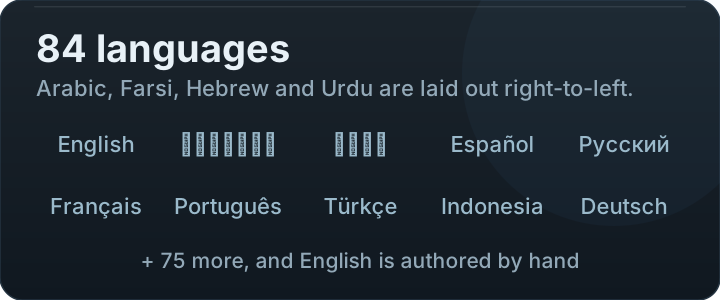
- Light and dark, with a themable key colour and a custom palette screen.
- 84 locales plus English; the picker follows the system language without a restart.
- RTL is enforced by a gate, not by hope — Arabic, Farsi, Hebrew and Urdu ship.
- A design system (
ui/design/) rather than per-screen improvisation, which is why the screens share one rhythm and one set of tokens.